Reading the repo
Assembly instructions
Asabeneh/
The 30 Days of Python programming challenge is a step-by-step guide to learn the Python programming language in 30 days. This challenge may take more than 100 days. Follow your own pace. These videos may help too: https://www.youtube.com/channel/UC7PNRuno1rzYPb1xLa4yktw
Python#30-days-of-python#data#data-science#database
Before you start
- Is it free?
- UnclearGitHub found no license file, so check the README before reusing the code.
- Still maintained?
- Yes, activeLast change 1 months ago.
- Can I trust it?
- Widely used78k stars, 6 years old. As with any download, get it from the official repo.
- Difficulty
- Easy
- Time
- about 5 min
- Stars
- ★ 78,467
- Activity
- Updated 1 months ago
Saved setup from 1 h ago
Will it work on macOS?
Not sure yet
- We couldn't spot a known setup. The README below is your best guide.
1 steps on macOS
Clone the repository
Needs Git: xcode-select --install
git clone https://github.com/Asabeneh/30-Days-Of-Python.git
cd 30-Days-Of-Python
We couldn't spot a known stack. Start with the README, or ask an AI below to go through it with you.
From the README: How to use visual studio code
Open the visual studio code by double clicking the visual studio icon. When you open it you will get this kind of interface. Try to interact with the labeled icons.
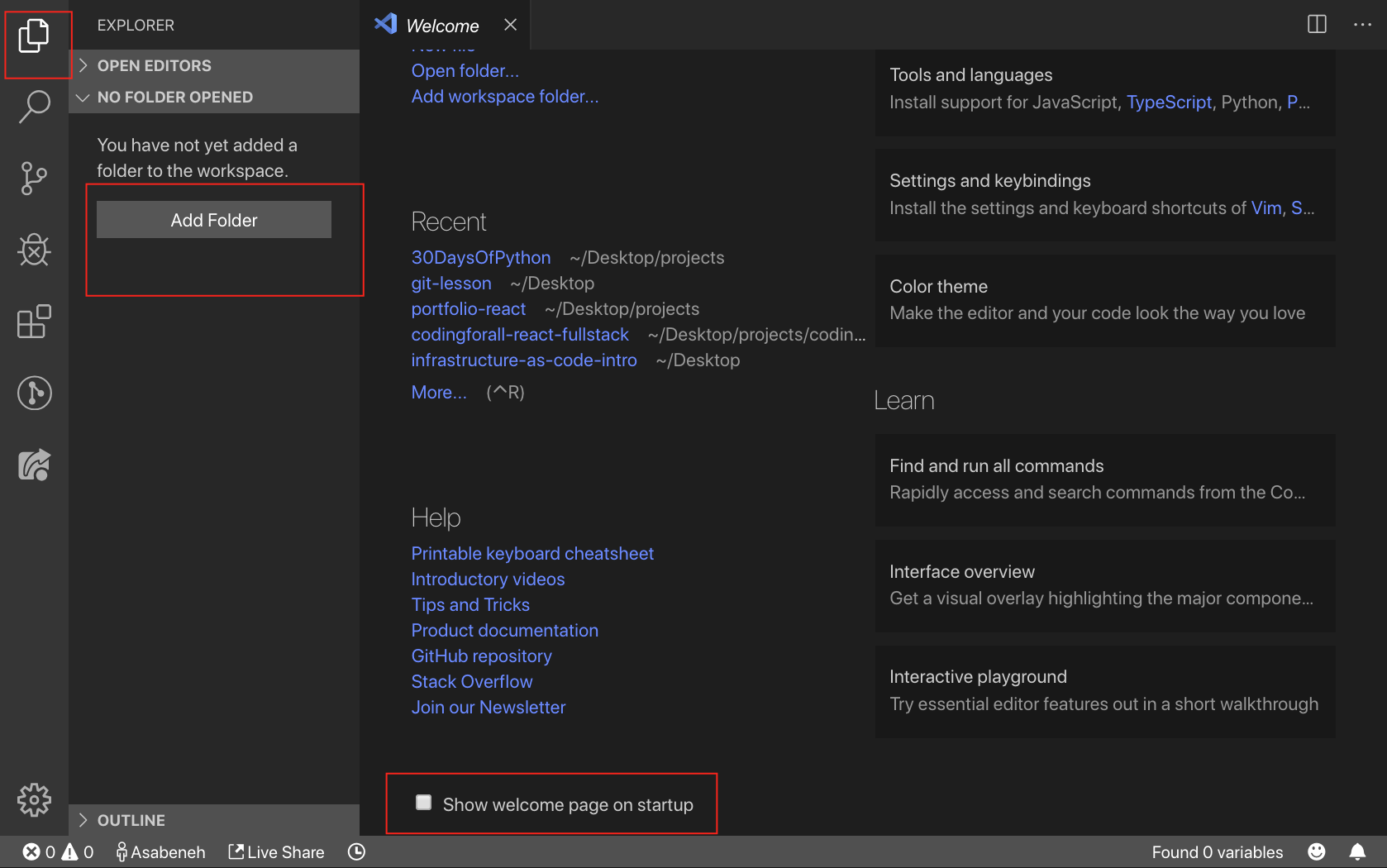
Create a folder named 30DaysOfPython on your desktop. Then open it using visual studio code.
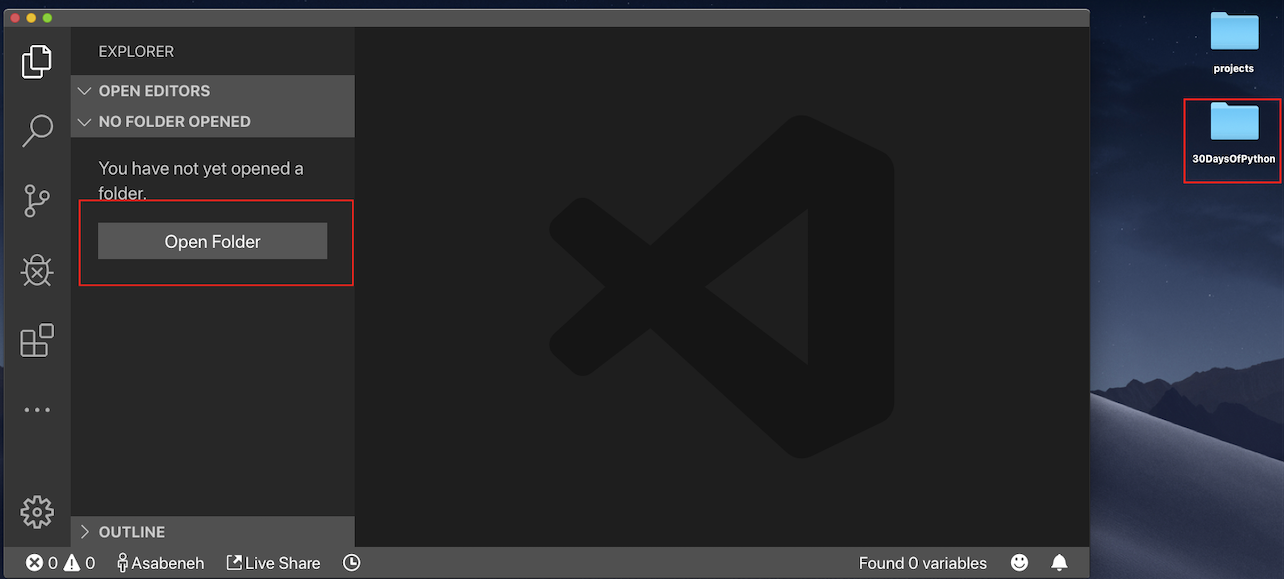
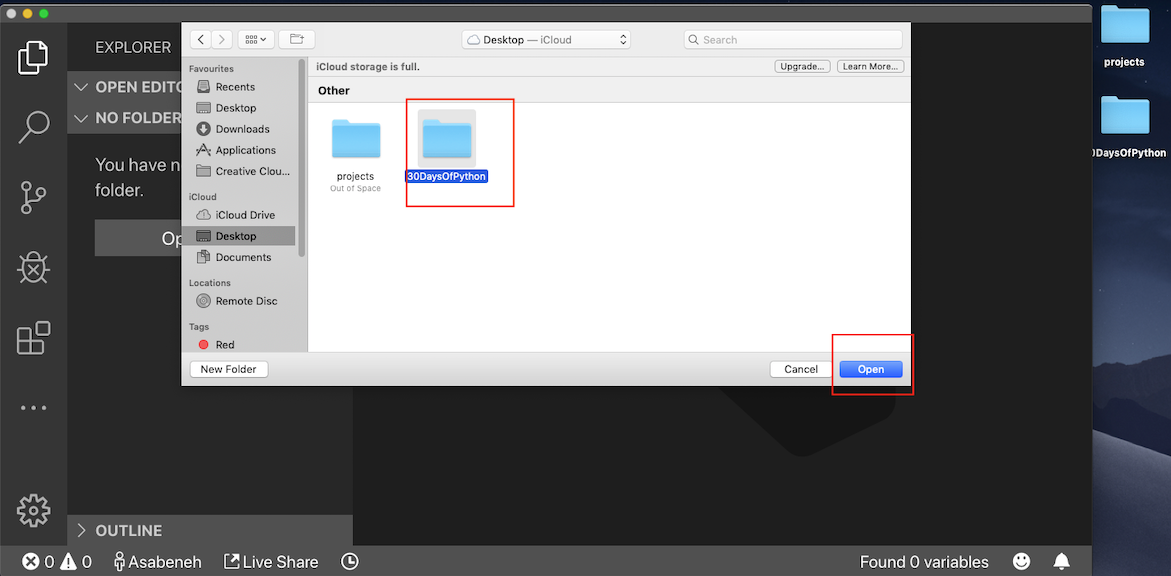
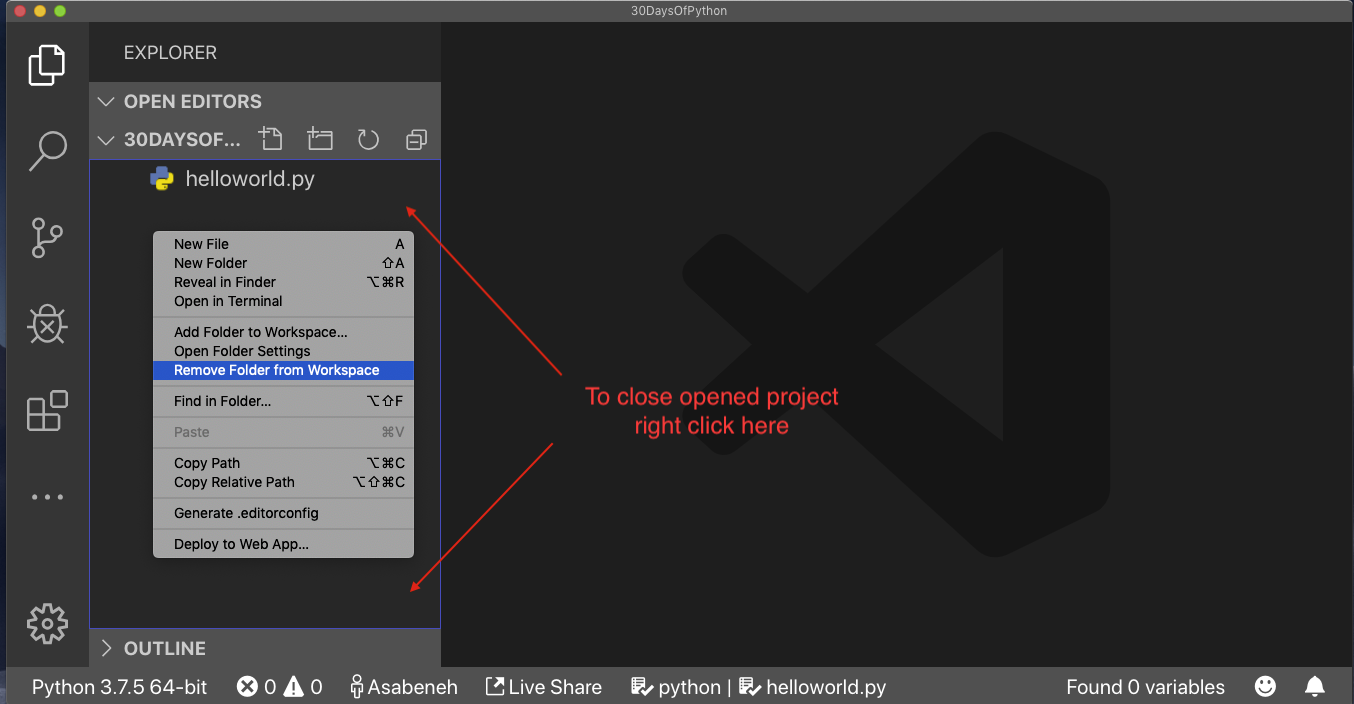
After opening it, you will see shortcuts for creating files and folders inside of 30DaysOfPython project's directory. As you can see below, I have created the very first file, helloworld.py. You can do the same.

After a long day of coding, you want to close your code editor, right? This is how you will close the opened project.
Congratulations, you have finished setting up the development environment. Let us start coding.
Did you get it running?
No reports for macOS yet.
Still stuck? Ask an AI
Opens a chat with this manual already filled in, for macOS. It uses your own account; gitmanual sends nothing.