Reading the repo
Opening the box…
Reading the repo
Opening the box…
How to install on Windows
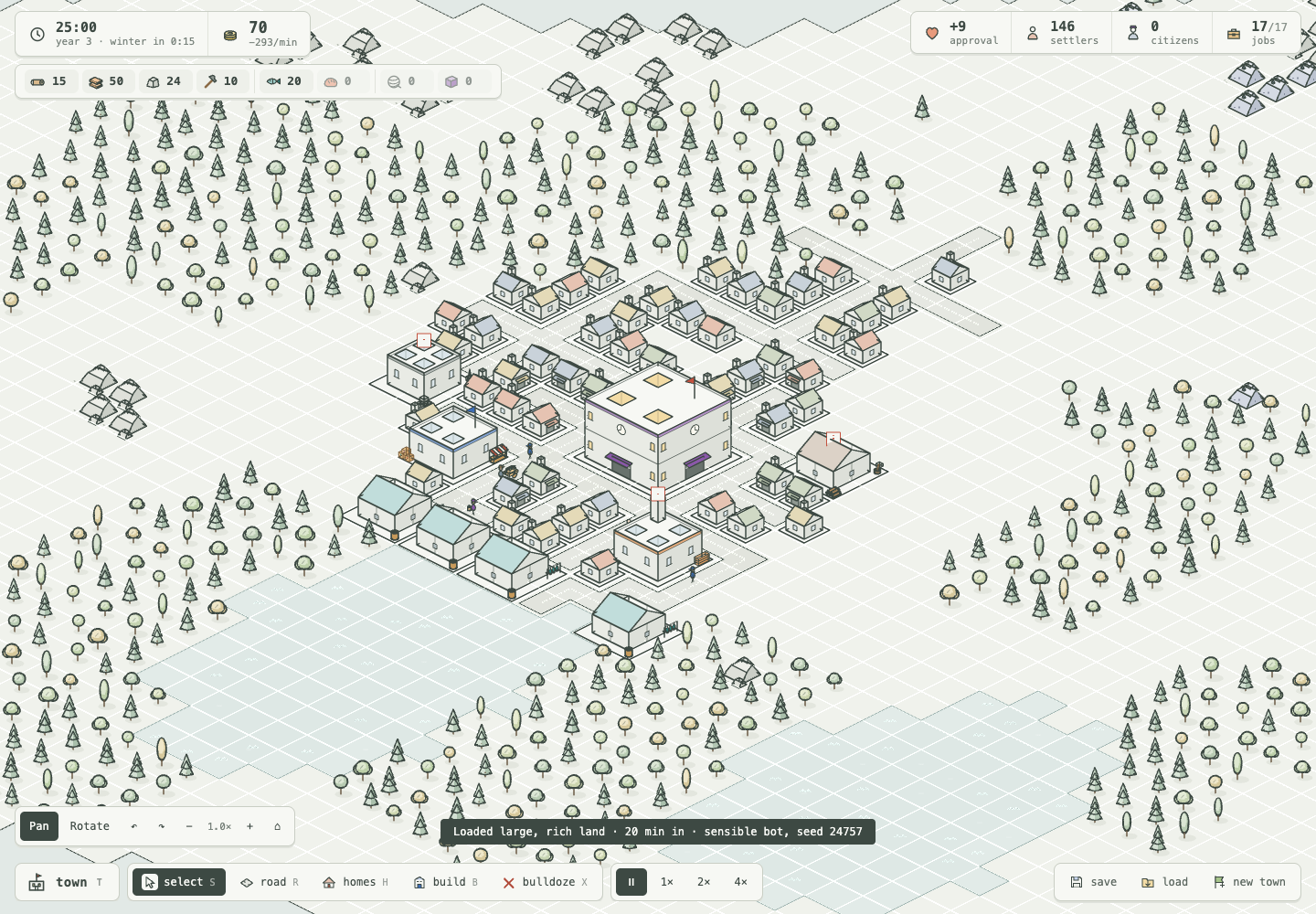
A town simulation in pale isometric line art, implemented with Ritmo ECS and PixiJs 3D
Saved setup from 18 h ago
Will it work on Windows?
DEVELOPMENT.mdInkline Town is a TypeScript game. The simulation runs on the
Ritmo ECS at a fixed step and
knows nothing of the page; PixiJS 3D (@pixi/3d, on WebGPU where the browser has it and WebGL elsewhere) draws the 3D world;
Pixi renders the original menu thumbnails; saving is
written with Effect.
pnpm install
pnpm dev --host --port 5232
pnpm typecheck
pnpm test       # model-based tests: random mayors, rules that must always hold; and saving
pnpm check      # lint (oxlint and Ritmo's schedule lints), then every way a term can end, ends it
pnpm check:browser # the actual 3D game: placement, picking, saves, populated towns and phone layout
pnpm check:phone   # phone sizes: the picker's found button on screen, the folded HUD opens and closes
pnpm check:language # the language menu: every language listed, a change keeps the town in play and rewords its past
pnpm balance    # a bot plays terms headless and reports the pressure
Before pushing, run pnpm typecheck, pnpm test, and pnpm check.
Open / with the dev server running. The existing
simulation, town panels, economy, charter, history, reckoning and save format
drive the approved 3D models. Drag to pan; right-drag or choose Rotate to
turn and tilt. Scroll to zoom. Q/E turn, arrow keys pan, Home resets, and
the camera toolbar provides the same controls. On touch screens, two fingers
pan and pinch to zoom; twisting them rotates. Road/home tools still drag to
build; camera gestures never place anything. A finger has no hover, so on
touch the tap tools (buildings, park pieces, bulldoze) take two taps: the
first holds the ghost or outline where it landed, a second on the same spot
commits it. The drag tools (road, pave, homes, park ground) hold the stroke
on touch too: Cancel and Build sit above the tool bar (in the guide's
place) and the tooltip says what it lays and costs; a tap on the stroke's end builds it, a tap elsewhere drops
it, and two fingers move the camera under it. With any pointer, a stroke let
go off the map (over the tool bar, say) is dropped and shows red while it
would be, as are a right click or Esc mid-drag. On touch the tooltip shows
only for what is about to be built, never while panning or picking, in a
thin full-width strip under the top line. This lives entirely in src/render/pixi3d/input.ts
(and the bar in src/ui/dom/index.ts); the game still sees one ordinary press and
release.
Phones get their layout from src/ui/dom/styles/phone.css, loaded after factory.css. On
a narrow or short screen the HUD folds away: one top line (clock, treasury,
people, and a chip of planks, stone and tools), one tool bar along the bottom
(town, the tools, pause (a switch: play while paused), a speed button that cycles, and a ⋯ menu holding
share, guide, save, load, new town and recentre), and two buttons top right
for the guide and the map overlays. src/ui/dom/folds.ts sets body.fold-goods,
fold-guide, fold-views or fold-more while one is open; a tap on the map
folds it, a pan or pinch does not. Once the town has a minute of goods
(body.flow-ready), the goods chip opens the made/used table straight away,
each good by its icon. The guide's step stays above the tool bar until tucked away
(its ✕); tucked, the bulb pulses, and a new step (or the same one under way)
comes out again. Guide texts (guide in each language, src/i18n/en/guide.ts) name tools,
panels and map views as tokens ([homes], [town] or [view:fire]) and verbs as
{tap|click}, never keys, so they read right on either screen;
test/guide.test.ts checks it. Sheets
open from the side on a landscape phone (max-height: 500px) and from the
bottom in portrait. Dialogs take the whole screen with their actions pinned
to the bottom. The camera bar is hidden: pinch zooms and turns. New UI needs
nothing there unless it has to move on a phone; check it at 390×844, 360×640
and 762×330, and run pnpm check:phone.
src/render/pixi3d/scene.ts owns the orthographic camera, ground projection and
frame source. views.ts follows live construction, upgrades, resources,
production, problem markers and the simulation's walkers and cargo. Flags,
mill sails and smoke animate in 3D. pool.ts instances repeated geometry,
preserves entity IDs for picking, varies costumes per instance, and bounds
the cache of unused animation/construction states. Loading or founding a
town clears and rebuilds the presentation from the saved world.
pnpm check:browser uses an isolated Chromium browser and the running dev
server (start pnpm dev first; without one it times out loading the page). It can use installed Brave/Chrome or BROWSER_EXECUTABLE_PATH; otherwise
install Chromium with pnpm exec playwright install chromium. GAME_BASE_URL
overrides the local URL. It generates a reproducible 20-minute bot save,
loads it through the real UI, and writes screenshots and measurements to
output/inkline-3d/game-check/. GAME_SAVE_PATH can supply another save.
Phone viewport and simulated touch checks do not replace physical-device testing.
With pnpm dev running, /gallery.html
shows every drawing in the game side by side: each building with and
without doors, homes, trees, rocks, fields, water, roads, carriers with each
load, walkers, residents, and the page's icons. Scroll or drag to look
around, ctrl + wheel (or pinch) to zoom. ?sheet lays the same drawings out
as the labelled sheet the README's pictures come from. The gallery is not
part of the build.
With pnpm dev running, /asset-lab.html
compares the complete world catalogue with the actual drawings from
art.ts. Choose a collection or search by name. Drag to rotate; the rotation
and elevation controls also work with a keyboard. The original view uses a
30-degree orthographic camera with the game's 64×32 projection.
| Collection | Entries | Coverage | | --- | ---: | --- | | Buildings | 39 | Every building kind, tier 2 market hall and church, plus winter and worn material presets of the seven town services and stores | | Homes | 21 | Four settler and citizen roof palettes, townhouse, and fine/poor/worn/winter material presets of every tier | | Land | 32 | Trees, single-cell rocks (full, quarried, and worked down to a face) and larger outcrops, crops, roads, water, raised stone paving, three retained park furnishings and the park layout | | People | 32 | Carriers, residents, market and chapel walkers, and five equipped service workers | | Cargo and vehicles | 75 | Twelve distinct goods and labelled crates; empty handcart/barrow and small/full loads of each good; the approved mixed goods plate | | Construction and effects | 14 | Sites, frame/walls, problem sign, smoke, placement outlines and three kinds of ruin |
The 213 entries cover object families and representative seeded variants. Continuous growth, construction progress, walk poses and colours can be generated; this is not a list of every possible random seed. Page icons remain the game's original 2D UI art.

/service-upgrades.html compares
the market with the market hall and the chapel with the church. The four
models share one scale and synchronized rotation, tilt and zoom. Each model
has a GLB download. The asset notes
describe the asset API and how the town draws them: an upgraded building is
drawn with its tier 2 model, turned a quarter at a time to face its road.
pnpm assets:build exports 213 GLBs and editable geometry descriptions,
a manifest, and six standalone viewers to output/inkline-3d/:
inkline-3d-study.html, inkline-3d-map.html, and
inkline-town-model-review.html, inkline-house-effects.html, inkline-park.html, and inkline-service-upgrades.html. It reimports every GLB and
checks geometry and unlit materials. The viewers work without a dev server;
their optional web fonts use the network. The game build remains separate.
Material effects render in the viewers and live game. Ordinary GLB viewers
show the underlying mesh; effect parameters are preserved as GLB extras and
in the editable geometry descriptions, rather than baked into duplicate meshes.
src/render/pixi3d/assets/primitives.ts: renderer-independent polygon/stroke schema
and reusable modelling operations in the game's cell units and pixel heights.buildings.ts, land.ts, people.ts, construction.ts: procedural
models; assets.ts collects them and retains the approved house/prop models.ink-mesh.ts: a model as mesh data with no renderer in it: faces batched by
colour, ink rods and tubes, silhouette hulls, and silhouette contour edges.
The shapes (../mesh/) are ports of the three.js algorithms the models were
approved with, so every vertex lands where it did.renderer.ts: the Pixi 3D adapter for one model (the ground layers, labs and
pictures); glb.ts writes and reads the GLB, with ordinary meshes and unlit
materials so the ink survives import into another renderer.main.ts: original drawing comparisons, collection/search UI and downloads.The art viewer uses fixed poses; the playable game animates them from live state. Rear facades and rounded volumes interpret surfaces the original drawing does not show. GLB edge antialiasing can differ from the live viewer.
Open /map-lab.html to see every catalogue
model on one island. Drag to pan, right-drag or choose Rotate to orbit, and
scroll or pinch to zoom. The toolbar also controls zoom, rotation and tilt.
WASD or arrow keys pan; Q/E rotate; Home restores the original view.
Double-click the ground to focus the camera there.

District shortcuts focus the town, workshops, homes, people, cargo yard or forest. Inspect selects any of the 203 entries and links to its original drawing comparison. Eight additional people walk along the street using two procedural poses; pause them for review. Smoke and the problem sign face the camera so they stay readable when the map turns.
Map faces and strokes are batched by material. Tests check catalogue coverage, valid geometry and the presence of every model on the map. This tests presentation and camera controls; it runs no town simulation. The walking preview does not export skeletal animation.
pnpm balance -- --snapshot <minute> writes each seed's town at that minute
to snapshots/ (git-ignored) as a save file. To play one, put its contents
in the page's save slot from the console and press load:
localStorage.setItem("inkline-town/save/manual", /* the file's contents */)
scripts/look-readme.ts takes the README's pictures and film from such a
save, through the real page with the news, overlays and camera buttons
hidden. It runs on Playwright's clock, so the film steps the town exactly
two thirtieths of a second a frame however slow the screenshot:
node scripts/balance.ts --size large --land rich --term 90 --seeds 3 --snapshot 80 --out snapshots
SAVE=snapshots/large-rich-1000-80min.json RECKON=1 node scripts/look-readme.ts       # charter, town, street, panels, reckoning
MODE=wide WIDE=0.75 NAME=large SAVE=... node scripts/look-readme.ts                  # one wide view of another town
MODE=film SIZE=1600x900 SCALE=1 SAVE=... node scripts/look-readme.ts                 # 900 frames to output/look-readme/frames
ffmpeg -framerate 30 -i output/look-readme/frames/%04d.png -vf "scale=960:-2,format=yuv420p" \
  -c:v libsvtav1 -preset 4 -crf 46 -g 300 -f avif -loop 0 docs/media/inkline-town.avif
ffmpeg -framerate 30 -i output/look-readme/frames/%04d.png -vf scale=1280:-2 \
  -c:v libx264 -preset veryslow -tune animation -pix_fmt yuv420p -crf 28 -movflags +faststart docs/media/inkline-town.mp4
The README shows the film as an animated AVIF, because GitHub plays no
<video> from the repository; browsers without AVIF see the still.
The source is split into layers, each a folder under src/, and each may
import only the layers below it (.oxlintrc.json enforces it):
app/        start-up: the one module that knows every layer
ui/dom/     the page's UI          render/pixi3d/   the PixiJS 3D renderer
         \                        /
          view/   the world as plain data for any UI and any renderer
            |
          game/   the simulation: headless, replays exactly
platform/   storage and sharing (knows game data only)      labs/   dev-only pages
i18n/       the languages: names for the game's content, and words for what it says as data
The layers talk through small typed contracts, so a new UI (a native app) or a new renderer (Pixi) is a new folder, not a change to the others:
src/game/edits.ts): what the player asks of the town. Every UI, bot and test sends them;
only the simulation applies them, at the start of its next step (systems/edits), and replays record them.Interaction (src/view/contracts.ts): what the player is doing with the map. The UI sets the tool,
the menu, the speed and the map view; the map input sets the pointer and queues gestures.TownView and SceneView (src/view/contracts.ts): what the view shows, filled in once a frame.
The UI reads the first (panel, numbers, tooltip, toasts), the renderer the second (preview, map view,
tints, the upgrades' arrows).src/game/said.ts, and the causes the rules give): data, never prose. The
chronicle holds events ({ _tag: "fire", place }), an edit answers with a notice, a term ends with a
reason. The view puts them into the words of the language in use (the Words service,
src/view/services.ts); see Languages.One frame runs three schedules: simulate (at the chosen speed), then project (the view), then draw
(the renderer). While the town waits, settle keeps the guide's books without a step of time.
src/game/: the simulation, with no page or renderer in it.
schema.ts: the ECS world: components, relations, resources, the Edits and Rules services, the events.edits.ts: the player's edits, and the queue the page and the view push them to.said.ts: what the simulation says, as data: the chronicle's events, the notices an edit answers
with, why a term ended, and where something happened. No words: a language puts each into them.content/: plain data, one module per closed set: goods.ts, kinds/ (one file per category,
merged in kinds/index.ts), homes.ts, parks.ts, lands.ts, town.ts (ranks, the crown, fate,
costs), and the rest. Ids and numbers only: what each is called is the language's. A table every
kind must fill is typed satisfies Record<KindId, …>, so a new kind fails to compile until it is
in each (its name in every language among them).rules/: pure calculations: production, households, taxes, approval, the guide's steps, explanations.world/: the grid (iso.ts, grid.ts), the land (mapgen.ts), desirability (appeal.ts), street
names (places.ts), and content to components (archetypes.ts).systems/<area>/: one file per system, each area's index.ts its public names: edits, work (staffing
by crew and commute, tools, pace), logistics, walkers (services, mending), town (households and tiers),
hazards (risk meters, fire and firefighters, sickness, theft), decay (wear, collapse, spoilage, the
pantry), the term (seasons and the almanac, the crown, approval, the end of the term, history), and
orphans (a walker or field whose building went before it could join it).schedule.ts: simulate, settle, and the world's resources before a town is founded.headless.ts: a town with no page, stepped from code: what the tests, check, balance and replays play.src/view/: the world read once a frame (frame.ts) into the contracts above, by the Project system
(project.ts). It never writes the world.
interaction/: the pointer's gestures as a selection, drags, and edits.preview.ts, tooltip.ts, overlay.ts (the map views and their legends), alerts.ts, upgrades.ts,
guide.ts, stats.ts, and panels/ (a building, a home, a park, a ruin): each fills its part.tools.ts: every command, tool and map view, defined once (its id, icon, key, and what it does): the
tool bar, the keys, and the [homes] chips in messages all come from it; what each is called is the
language's (commands, toolbar, mapViews).services.ts: the host state the view's systems are handed, the language in use (Words) among it.icons.ts: every icon name the view can use; each UI must draw them all.src/ui/dom/: the page. index.ts composes it and wires its actions (controls.ts); it reaches the map
only through the MapPort the app hands it.
kit/: the building blocks (rows, lines, sections, sliders, cost chips, pictures, text, icons), each in
every state on /ui-kit.html (kit/examples.ts). A new state of one goes there, not into a panel's CSS.hud.ts, toolbar.ts, map-views.ts, ticker.ts (the guide, alerts, news), system-menu.ts,
folds.ts (a phone's folded HUD), keys.ts, toast.ts.panels/: the side panel's frame, the build menu, the town panel, and what is picked.screens/: the charter a town is founded from, sharing (and its card), a visit to a shared town, the
reckoning at the end of a term, and the confirm dialog.styles/: factory.css, and phone.css after it.src/render/pixi3d/: the live renderer: services.ts (its scene and view registries), sync.ts (a view
for each entity), draw/ (the land, the ground, the map view, the preview, animation, the townsfolk),
schedule.ts (draw), scene.ts (camera and frame source), input.ts (map input), views.ts,
pool.ts (shared models: each copy is plain meshes that share the model's geometry, with materials of its
own for its colour and surface state, and picking against each copy's triangles), thumbnails.ts and portrait.ts (the pictures the page's menus show, drawn offscreen
by the same renderer), the effects, bits.ts (the shader bits: instances, silhouettes, ink ribbons, the
surface shading, and the faces' depth offset) and materials.ts (which also draws every picture, draw, so
the faces know its size in pixels). It runs on WebGPU where the browser has it and on WebGL elsewhere
(?renderer=webgl in the page's address asks for WebGL), so each bit carries its code twice: gpu in WGSL
and gl in GLSL. A bit without one half draws nothing of its own on that renderer, with no error, so change
both. mesh/ is geometry and maths with
no renderer in it, which the tests use in Node.
assets/: the models, drawn in code: buildings, homes, people, the land, parks (town-props.ts),
services (services.ts: grain hoist, fish racks, watch tower, herbs, medical signs, noticeboard, builder's
equipment), and appearance.ts (material state metadata for catalogue presets; wear, neighbourhood,
hazards and winter are per-instance attributes, so a state change does not change the geometry cache key).src/render/art.ts: the town's look shared by every picture of it: ink, dress colours, measures, and the
2D drawings the gallery shows.src/platform/: save.ts (saving and loadinThen run powershell -ExecutionPolicy Bypass -File .\setup.ps1. It stops at the first error and is safe to run again. Servers and tests aren't started; it lists them at the end. Read it first.
Needs Git: winget install Git.Git
git clone https://github.com/SandroMaglione/inkline-town.git
cd inkline-town
Node.js LTS (no version pinned)
winget install CoreyButler.NVMforWindows
nvm install lts
nvm use lts
corepack enable
pnpm install
pnpm dev
pnpm test
Lumberjacks fell trees and sawmills cut planks. Quarries and mines dig stone and ore for the smithy's tools. Farms grow wheat for the mill and the bakery, sheep give wool for the weaver, a carpenter turns planks into furniture for the townhouses, and fisheries feed the first settlers. You never move a crate yourself: carriers push their carts along the roads, each loaded with what it carries, and markets send walkers through the streets with baskets of fish, bread, and cloth.
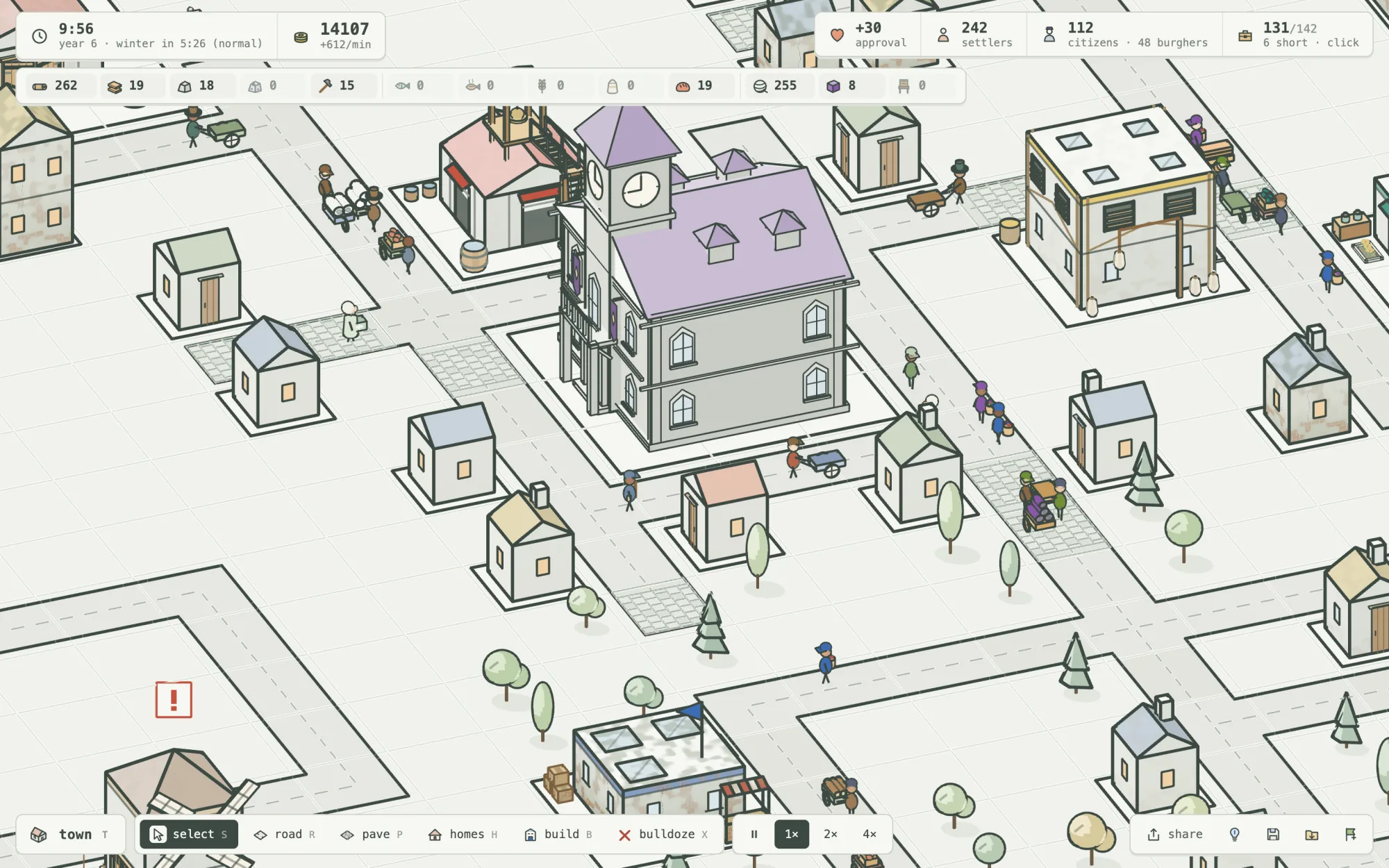
Settlers need food. Give them bread, cloth, and a chapel's faith, and their cottages grow into two-story citizens' homes that hold and pay twice as much. Then they come out in long coats and top hats, each household dressed in the colour of its roof.
No reports for Windows yet.
GitManual AI Agent reads the 3 key files and writes a step-by-step guide for Windows. Once written, it's saved for everyone.