Reading the repo
Opening the box…
Reading the repo
Opening the box…
How to install on Linux
The open-source full-stack studio for Opus 5.5 motion video. Reverse engineering for any video. Code video with HTML: recreate, edit and render. BYOA + BYOK · Motion.md · Images, Video, Music & Voice.
Saved setup from 8 h ago
Will it work on Linux?
Make a separate composition for each aspect ratio, review the cut in Studio and export an MP4 for manual upload.
| Version to request | What to adapt | | --- | --- | | Portrait short — for destinations such as Reels, Shorts, TikTok or Xiaohongshu | Hook, large readable type, framing and the placement of captions | | Landscape film — for a product page, launch or YouTube video | UI detail, wider compositions and time to explain | | Square feed cut — for a social campaign | A compact composition, headline and clear closing message |
Channel connections, scheduled publishing and performance feedback are planned.
| Area | Available today | Direction | | --- | --- | --- | | Recreate and edit | Agent-led reference reconstruction, template adaptation, editable projects and MP4 export | More evaluated recreation cases and repeatable comparisons | | Brand and knowledge | Motion.md with its Brand Kit section, Skills and source packages | Personal/team memory, RAG and evaluated Skill improvements | | People and agents | Handoffs on the same local project | Timeline comments, shared review and collaborative editing | | Multimodal creation | Built-in image, video, music and TTS integrations; generation, candidate selection and timeline adoption | Integrated search across footage, images, voices, music and Avatar services | | Publish to every platform — Coming | Authored aspect-ratio variants and MP4 handoff | Platform connectors, release review, scheduling, automatic reframing and social presets | | Feedback | Human review and saved project versions | Version-linked performance data and recurring production tasks |
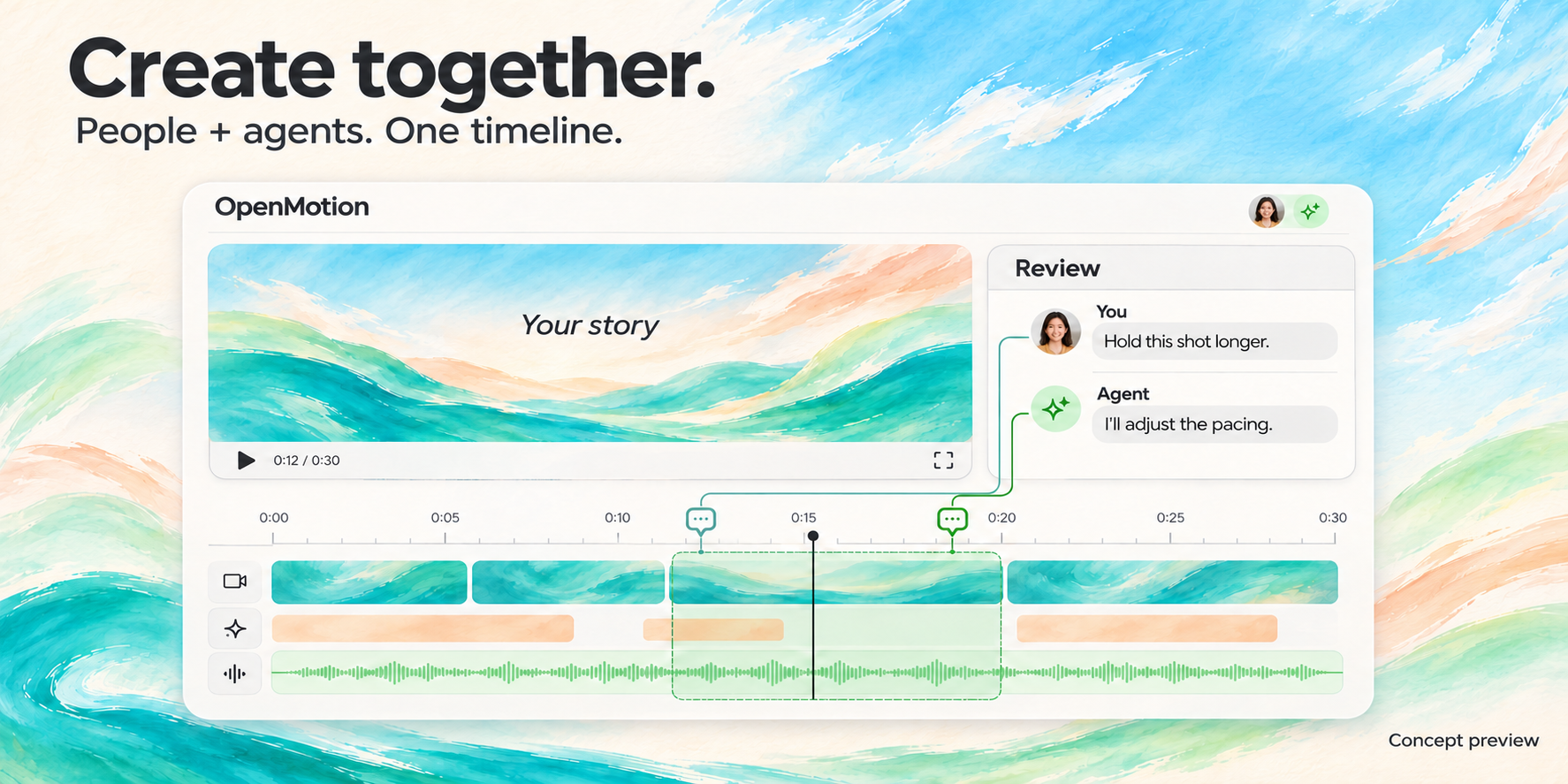
Concept preview of planned collaboration. No release date announced. Studio vision · Knowledge and feedback
<a id="社区共建"></a> <a id="community"></a>
The maintainers included install.sh. Run it from the cloned folder after reading it.
bash install.sh
Also: scripts/install-motion.command
install.mdFor the local agent reading this guide: install and connect the public repository's main branch on this machine, then open its local template library. Use the same checkout for Studio and MCP.
Use Git, npm and Node.js 26.11.1, the version pinned for source validation. Choose a persistent parent directory for the checkout and run:
git clone --depth 1 --single-branch --branch main https://github.com/nexu-io/openmotion.git
cd openmotion
npm ci
npm run build:studio
npm start
--depth 1 downloads only the latest snapshot and --single-branch --branch main selects main. Optional reference videos and template archives stay excluded by default; download them only when needed. See clone size and optional media.
If the destination already exists, check its remote and local changes before reusing it, or choose another directory. Preserve existing work. Keep user projects and credentials outside the checkout, and preserve an existing MOTION_DATA_DIR. Studio and MCP must use the same data directory. Source preview and export use local Chrome/Chromium and FFmpeg/FFprobe; see runtime setup for requirements.
Use the actual studioUrl or previewUrl printed by startup. Keep this checkout in place after registration because the agent connection uses it.
Read the checkout's AGENTS.md, then follow the existing source plugin setup for Codex or manual MCP configuration for another local stdio client. The agent connection guide describes other host integrations. Connect this checkout's mcp.ts and the same data directory as Studio; configure only the current host and preserve unrelated MCP servers, Skills and credentials.
Discover the OpenMotion tools and call openmotion_get_project to verify the workspace. Registration alone does not prove that this chat is connected; report any actual connection limitation honestly.
Open the startup URL and choose Template library, or call openmotion_open_preview with {"target":"templates"} when MCP is available.
Follow the installation-success contract: open the template library in the calling chat's right panel, use native recommendations with onboarding: true when available so the component owns the persistent welcome, and otherwise use the library-only welcome copy. That section is the shared first-run contract; the npm setup commands and release placeholders elsewhere in that document apply to published applications. A card button fills an unsent draft; wait for the user's submitted requirements before creating a project.
Then run bash setup.sh. It stops at the first error and is safe to run again. Servers and tests aren't started; it lists them at the end. Read it first.
Compare yours with the README's “Platform versions and publishing” list above before installing anything.
git clone https://github.com/nexu-io/openmotion.git
cd openmotion
Node.js >=22.18.0
# needs nvm: https://github.com/nvm-sh/nvm
nvm install --lts
npm ci
npm run dev
npm test
Copy this instruction into your local agent to set up OpenMotion from source:
Read https://github.com/nexu-io/openmotion/blob/main/install.md and follow the instructions to install and connect OpenMotion in the current agent.
After setup, the agent opens the local template library and suggests a template. Confirm the choice before creating a project. Source installation guide
No reports for Linux yet.
GitManual AI Agent reads the 9 key files and writes a step-by-step guide for Linux. Once written, it's saved for everyone.