Reading the repo
Opening the box…
How to install on macOS
Written by AI from the README.
Saved setup from 5 h ago
Will it work on macOS?
| Platform | What Pulse monitors | |---|---| | Proxmox VE, PBS & PMG | Nodes, VMs, LXCs, storage, backups, replication, Ceph, mail gateways | | Docker & Podman | Hosts, containers, Compose projects, Swarm services, image updates | | Kubernetes | Clusters, nodes, workloads, pods, services, storage, events | | TrueNAS SCALE & CORE | Pools, datasets, disks, snapshots, replication, apps, VMs | | Linux, Windows & macOS | Host health, filesystems, networking, temperatures, RAID, availability |
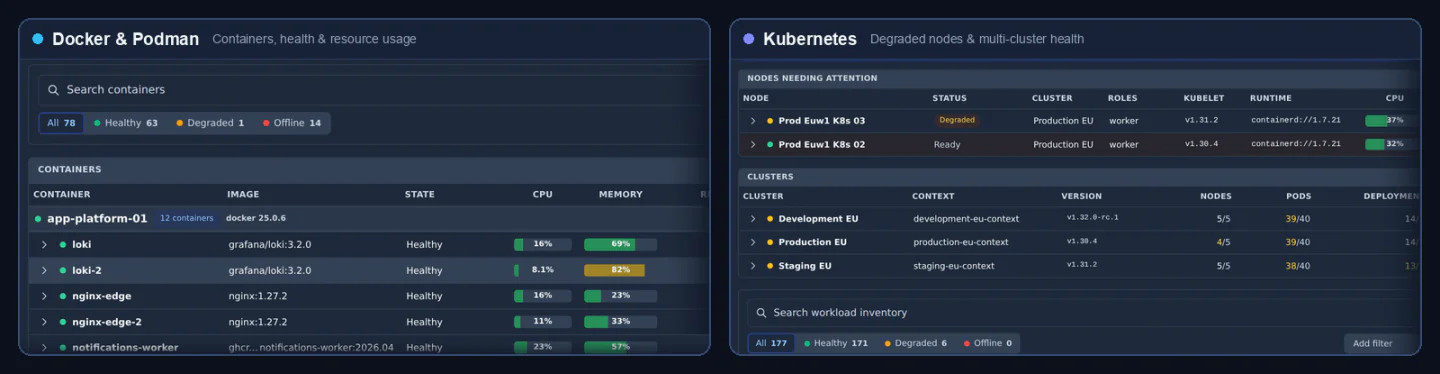
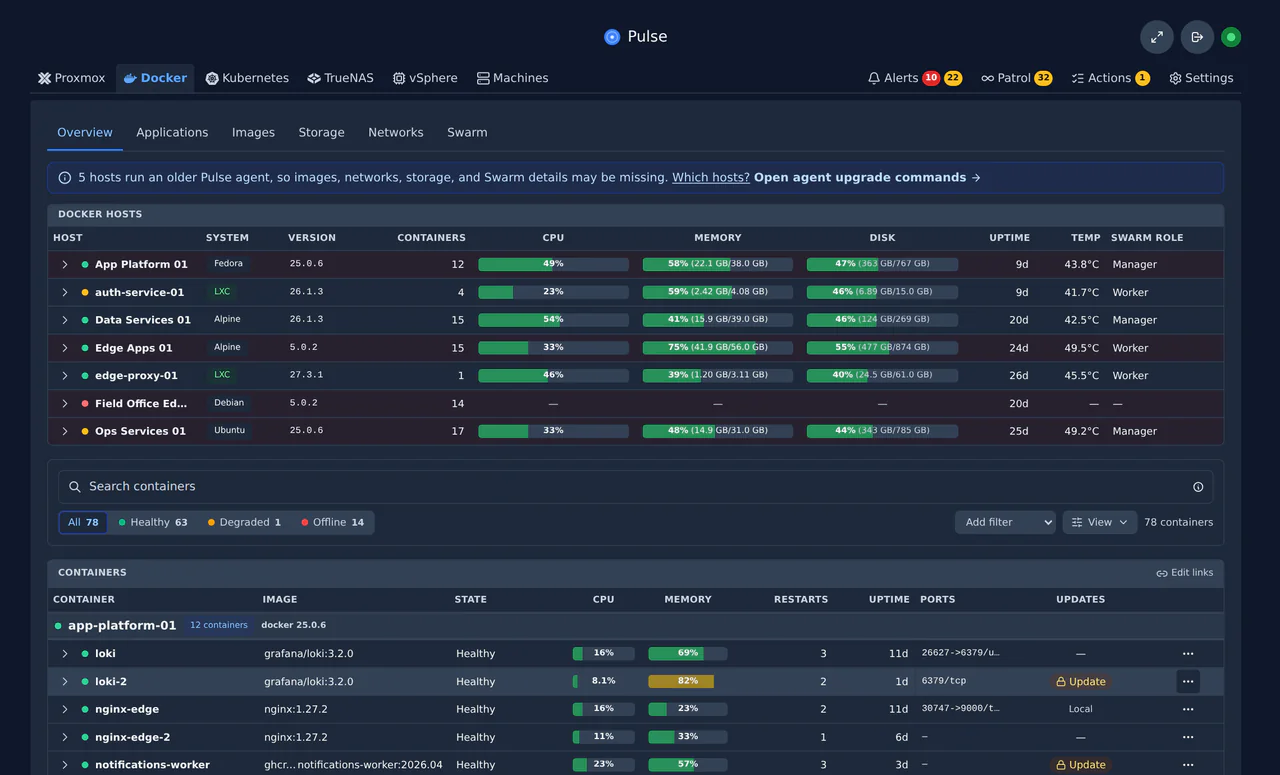
<details> <summary><strong>More full-screen views: Docker and Podman, Kubernetes, and Pulse Patrol</strong></summary>Hosts, containers, Compose stacks, Swarm health, and image updates without mounting the Docker socket on Pulse.
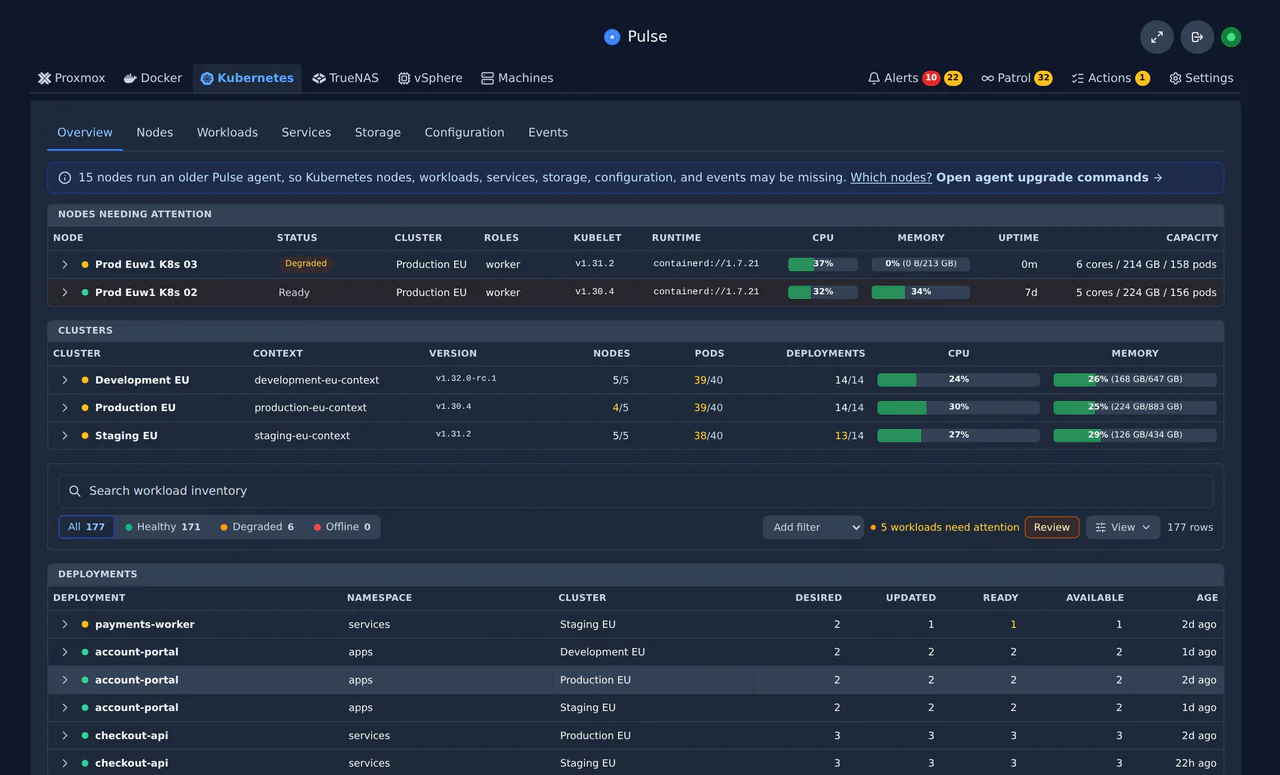
Multi-cluster health, degraded nodes, pods, deployments, storage, and events in one view.
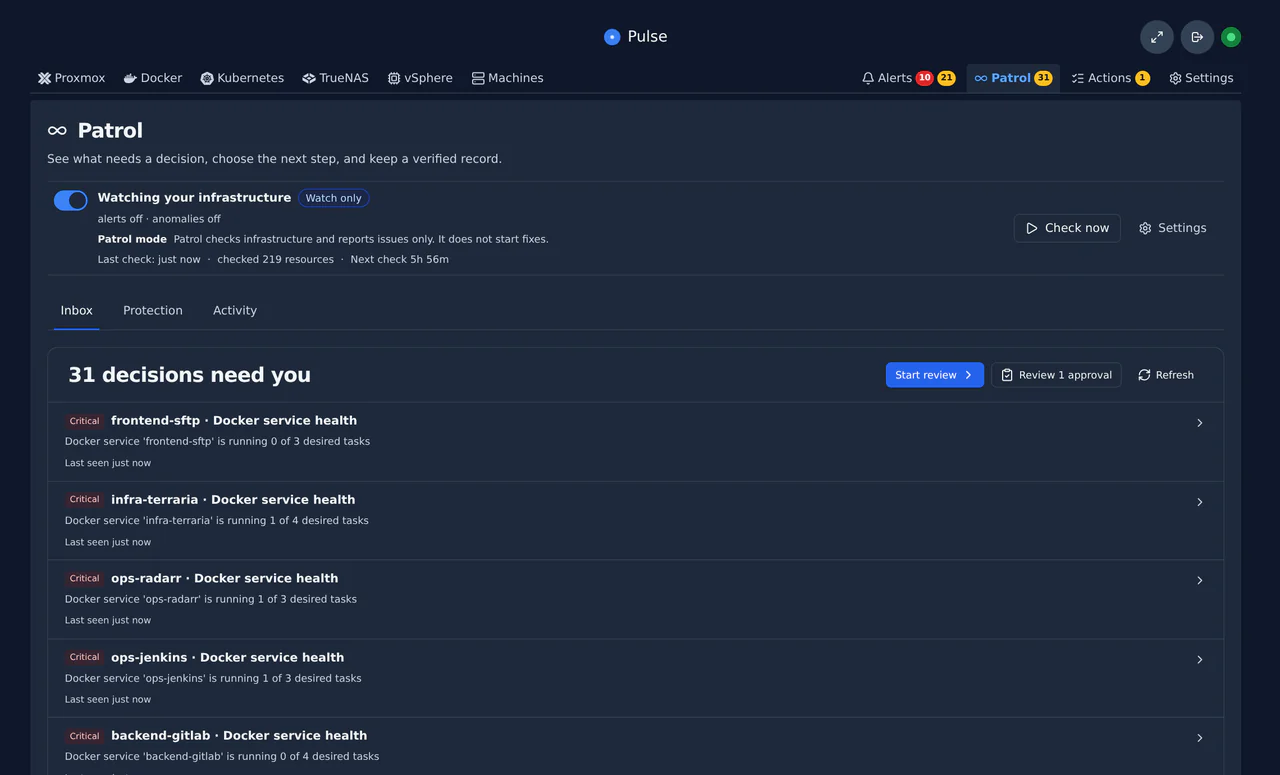
Pulse Patrol runs scheduled checks with your own AI provider or local model. pulse-mcp lets Claude Code, Codex, or OpenCode ask what changed overnight.
Also: In the browser ↗
Heads-upBuilding it yourself? It also needs 38 settings in .env (2 secret).
curl -LO "https://github.com/rcourtman/Pulse/releases/download/v6.9.0/pulse-agent-v6.9.0-darwin-arm64.tar.gz"
tar -xzf "pulse-agent-v6.9.0-darwin-arm64.tar.gz"
curl -LO "https://github.com/rcourtman/Pulse/releases/download/v6.9.0/pulse-mcp-v6.9.0-darwin-arm64.tar.gz"
tar -xzf "pulse-mcp-v6.9.0-darwin-arm64.tar.gz"
curl -LO "https://github.com/rcourtman/Pulse/releases/download/v6.9.0/pulse-agent-v6.9.0-darwin-amd64.tar.gz"
tar -xzf "pulse-agent-v6.9.0-darwin-amd64.tar.gz"
curl -LO "https://github.com/rcourtman/Pulse/releases/download/v6.9.0/pulse-mcp-v6.9.0-darwin-amd64.tar.gz"
tar -xzf "pulse-mcp-v6.9.0-darwin-amd64.tar.gz"
curl -LO "https://github.com/rcourtman/Pulse/releases/download/v6.9.0/pulse-agent-v6.9.0-darwin-arm64.tar.gz.sshsig"
chmod +x "pulse-agent-v6.9.0-darwin-arm64.tar.gz.sshsig"
curl -LO "https://github.com/rcourtman/Pulse/releases/download/v6.9.0/pulse-mcp-darwin-arm64"
chmod +x "pulse-mcp-darwin-arm64"
curl -LO "https://github.com/rcourtman/Pulse/releases/download/v6.9.0/pulse-mcp-darwin-arm64.sshsig"
chmod +x "pulse-mcp-darwin-arm64.sshsig"
curl -LO "https://github.com/rcourtman/Pulse/releases/download/v6.9.0/pulse-mcp-v6.9.0-darwin-arm64.tar.gz.sshsig"
chmod +x "pulse-mcp-v6.9.0-darwin-arm64.tar.gz.sshsig"
curl -LO "https://github.com/rcourtman/Pulse/releases/download/v6.9.0/pulse-agent-v6.9.0-darwin-amd64.tar.gz.sshsig"
chmod +x "pulse-agent-v6.9.0-darwin-amd64.tar.gz.sshsig"
curl -LO "https://github.com/rcourtman/Pulse/releases/download/v6.9.0/pulse-mcp-darwin-amd64"
chmod +x "pulse-mcp-darwin-amd64"
curl -LO "https://github.com/rcourtman/Pulse/releases/download/v6.9.0/pulse-mcp-darwin-amd64.sshsig"
chmod +x "pulse-mcp-darwin-amd64.sshsig"
curl -LO "https://github.com/rcourtman/Pulse/releases/download/v6.9.0/pulse-mcp-v6.9.0-darwin-amd64.tar.gz.sshsig"
chmod +x "pulse-mcp-v6.9.0-darwin-amd64.tar.gz.sshsig"
A self-hosted app: Docker runs it on your computer and you open it in the browser. Needs Docker Desktop (or Docker Engine on Linux). Run docker compose commands inside the cloned repo folder.
docker run -d --name pulse -p 7655:7655 -v pulse_data:/data -e PULSE_DEPLOYMENT_METHOD=docker_run --restart unless-stopped rcourtman/pulse:v6.9.0
From the README, exactly as the maintainers wrote it.
No reports for macOS yet.
GitManual AI Agent reads the 16 key files and writes a step-by-step guide for macOS. Once written, it's saved for everyone.