Reading the repo
Opening the box…
Reading the repo
Opening the box…
How to install on macOS
MacOS Tahoe icon theme for linux
GitHub didn't answer, so this is the saved copy from 19 h ago
Will it work on macOS?
The maintainers included install.sh. Run it from the cloned folder after reading it.
bash install.sh
Needs Git: xcode-select --install
git clone https://github.com/vinceliuice/MacTahoe-icon-theme.git
cd MacTahoe-icon-theme
We couldn't spot a known stack. The AI guide below can read the code for you.
Usage: ./install.sh [OPTIONS...]
| OPTIONS: | | |:--------------------|:-------------| |-d, --dest | Specify theme destination directory (Default: $HOME/.local/share/icons)| |-n, --name | Specify theme name (Default: MacTahoe)| |-t, --theme | Specify theme color variant(s) [default/purple/pink/red/orange/yellow/green/grey/all] (Default: blue)| |-b, --bold | Install bold panel icons version| |-r,--remove,-u,--uninstall | Uninstall (remove) icon themes| |-h, --help | Show this help|
Note for snaps: To use these icons with snaps, the best way is to make a copy of the application's .desktop located in
/var/lib/snapd/desktop/applications/name-of-the-snap-application.desktopinto$HOME/.local/share/applications/. Then use any text editor and change the "Icon=" to "Icon=name-of-the-icon.svg"
For more information, run:
./install.sh --help
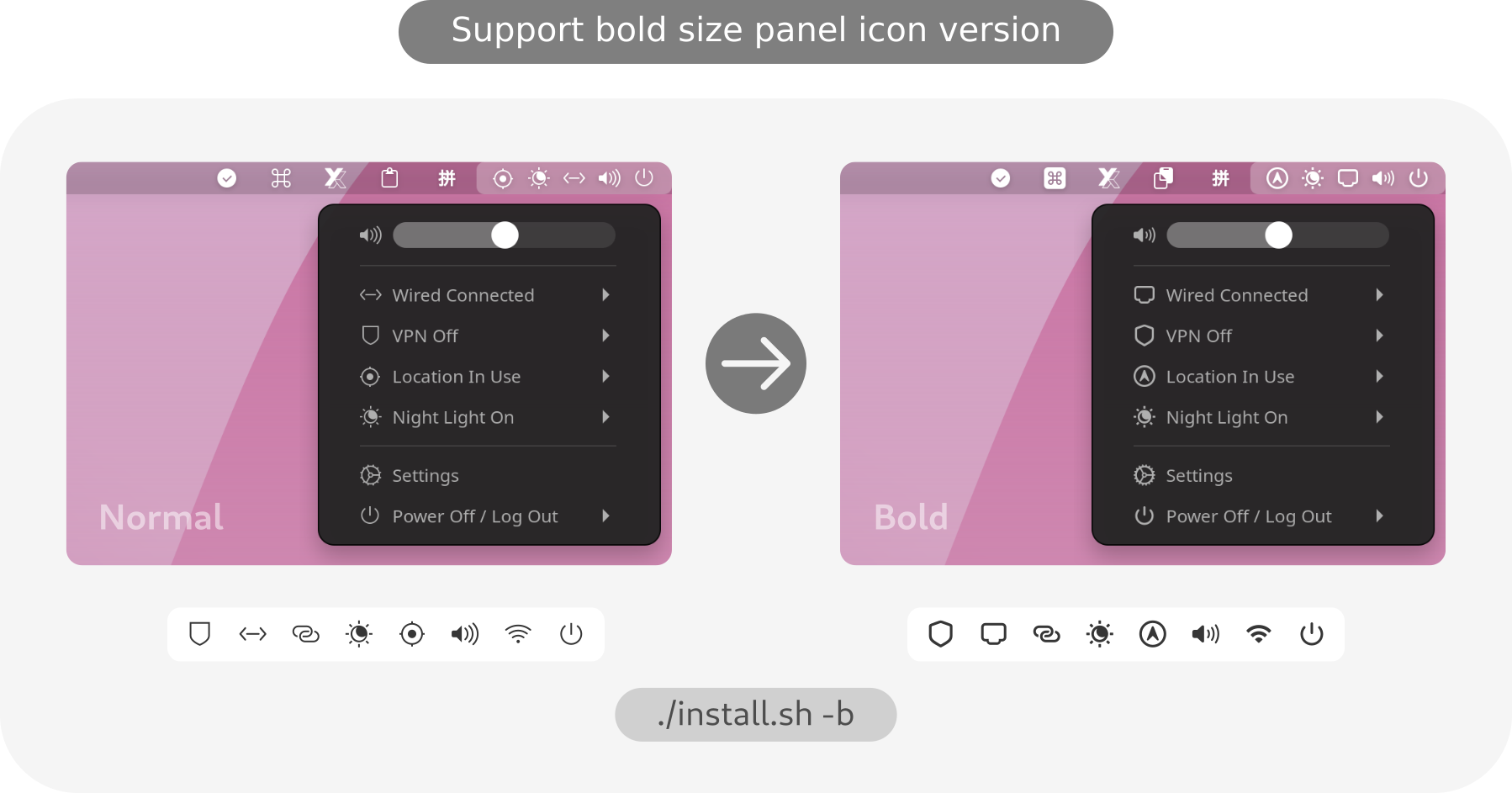
The bold version is recommended for use with a
High resolution displaylike a 4k display with a 200% scale factor!
No reports for macOS yet.
GitManual AI Agent reads the 1 key files and writes a step-by-step guide for macOS. Once written, it's saved for everyone.