Reading the repo
Opening the box…
Reading the repo
Opening the box…
How to install on macOS
Translate PDF, EPub, webpage, metadata, annotations, notes to the target language. Support 20+ translate services.
Saved setup from 2 h ago
Will it work on macOS?
Heads-upIt also needs 3 settings in .env.
Then run bash setup.sh. It stops at the first error and is safe to run again. Servers and tests aren't started; it lists them at the end. Read it first.
Needs Git: xcode-select --install
git clone https://github.com/windingwind/zotero-pdf-translate.git
cd zotero-pdf-translate
Node.js 20
# needs nvm: brew install nvm (or https://github.com/nvm-sh/nvm)
nvm install 20
cp .env.example .env
npm ci
npm run start
npm test
Download the plugin (.xpi file) from below.
Note If you're using Firefox as your browser, right-click the .xpi and select "Save As.."
In Zotero click Tools in the top menu bar and then click Plugins
Go to the Extensions page and then click the gear icon in the top right.
Select Install Plugin from file.
Browse to where you downloaded the .xpi file and select it.
Finish!
Open any PDF/EPub/webpage in the Zotero reader.
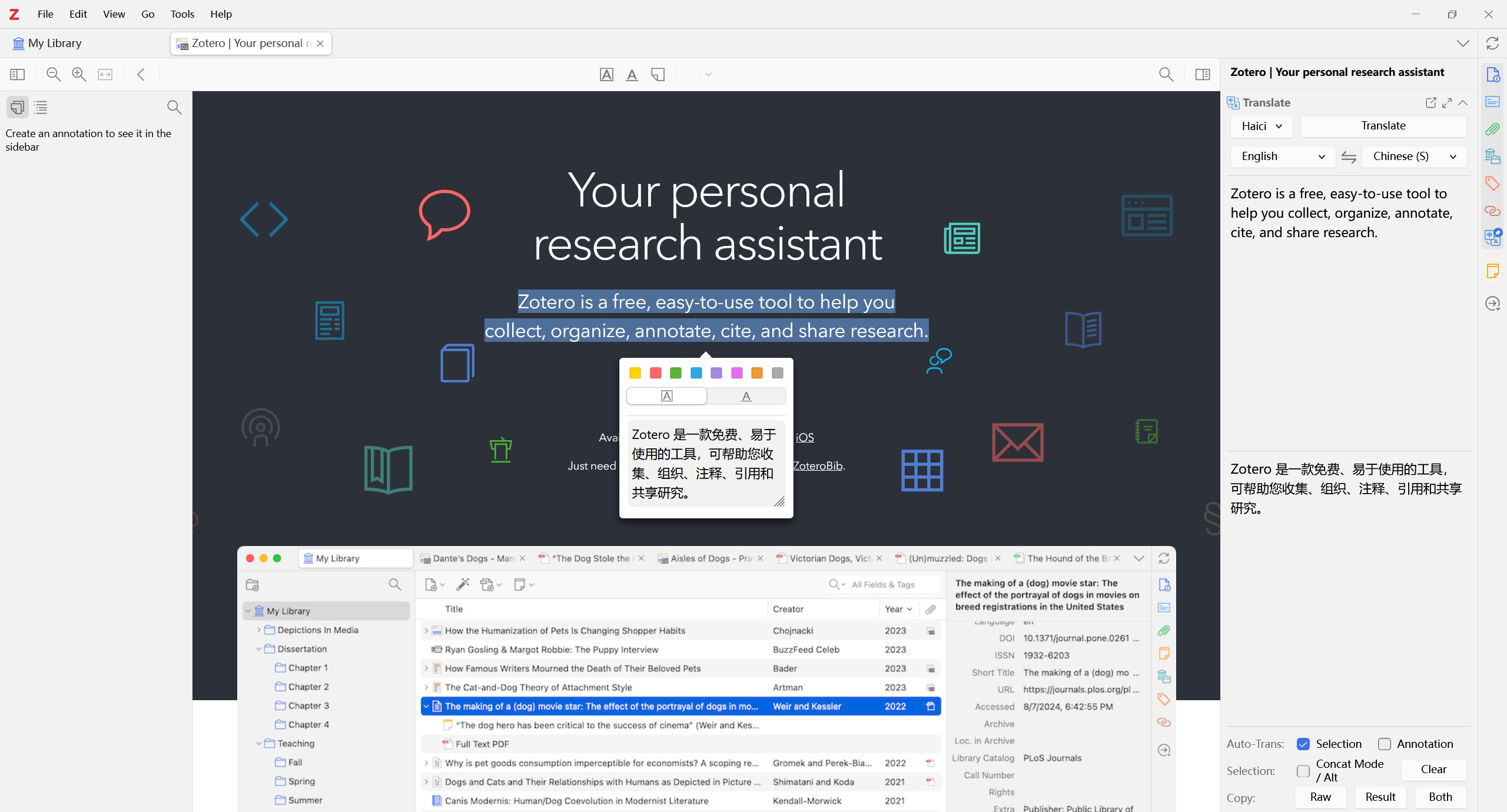
Select text, the translations are shown on the pop-up and the item pane(v0.2.0).
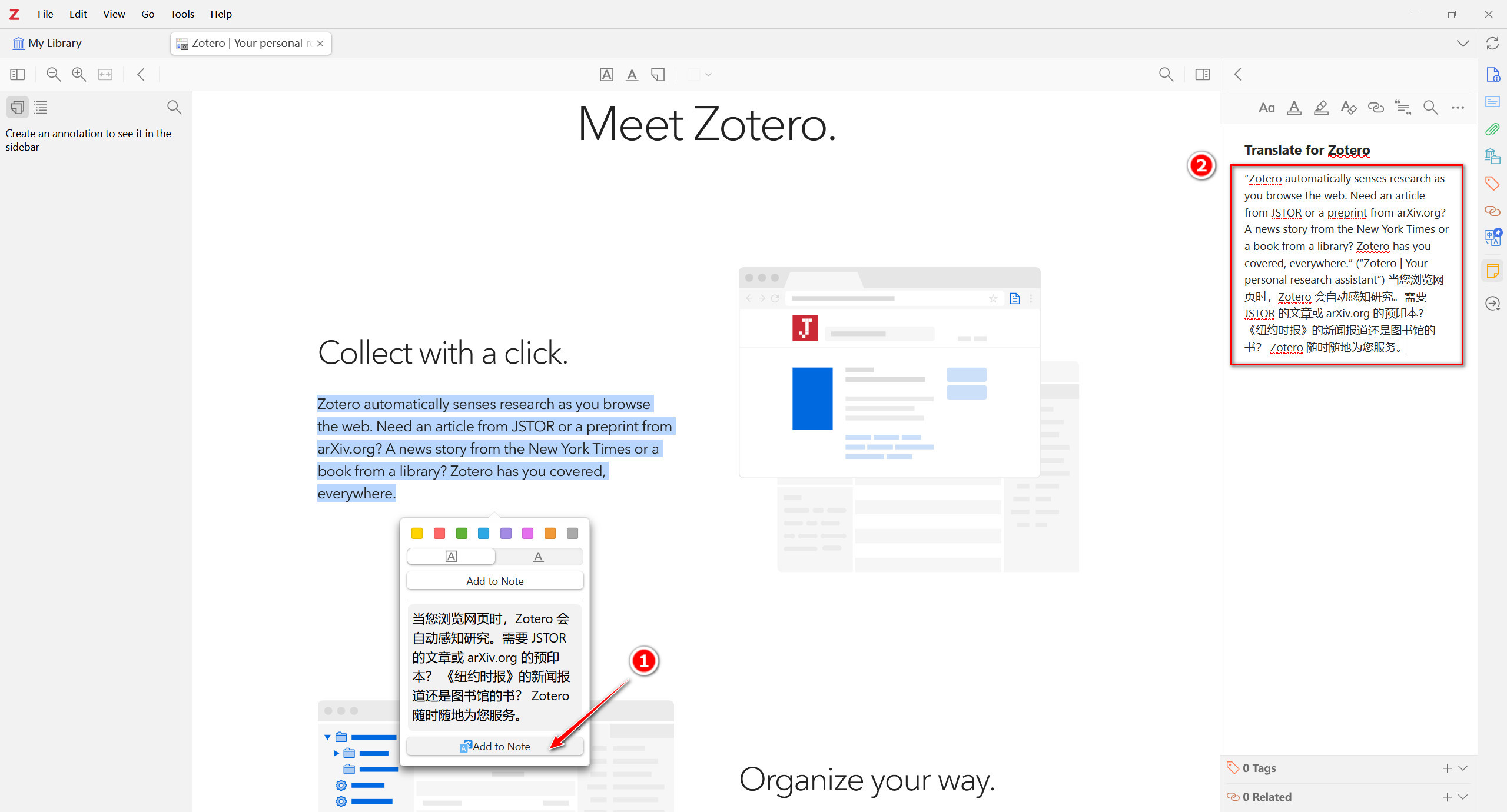
Highlight/Underline some text, the translations are added to the annotation comment(v0.3.0); Modify & retranslate the annotation text in the item pane and click the Update Annotation to modify the annotation text and translation(v0.6.6);
Add selected text along with translation to note(v0.4.0); Only works when a note editor is active.
Translate item titles with right-click menu or shortcut Ctrl+T(v0.6.0).
Translate item abstract with right-click menu(v0.8.0). Thanks @iShareStuff
Standalone translation window available(v0.7.0). View & compare translations from multiply services in one window!
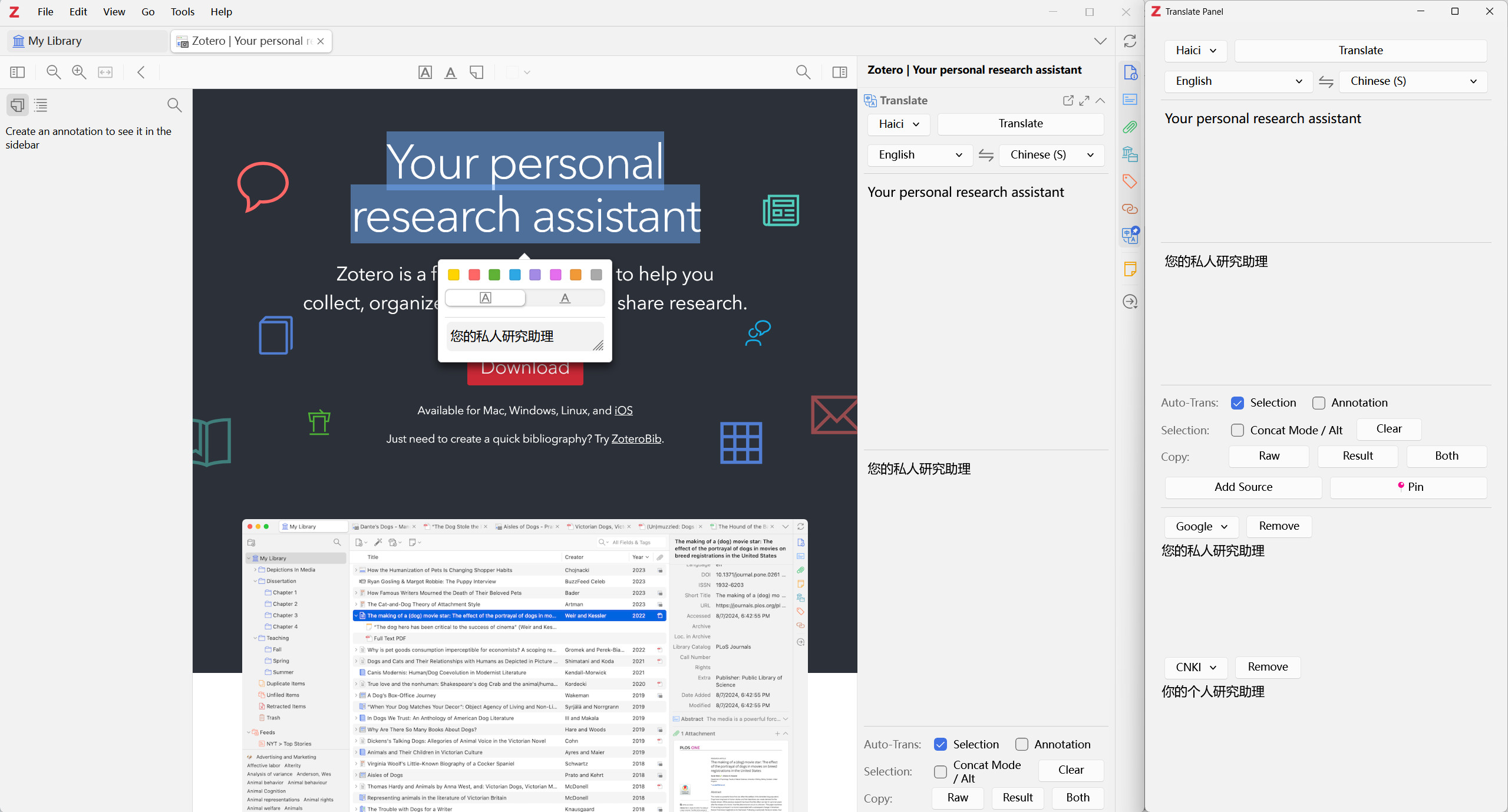
Dictionary for single word translation(v0.7.1).
SentenceBySentence Translation(v1.1.0). After a translation, press shift+P and select Translate Sentences. Only for en2zh and en2en now. Thanks @MuiseDestiny
Since v2.2.0, the concat mode shortcut is ctrl (on Windows/Linux) or ⌘ (on macOS).
Q I want to translate manually.
A Go to Edit->Settings->Translate->General, uncheck the Automatically Translate Selection. Click the Translate button on the pop-up or item pane to translate.
Q I want a translate shortcut.
A
Press shortcut Ctrl+T after you selected some text. If you are in the collection view, the titles' translation will show/hide.
Q I want to concat different selections and translate them together.
A Press Ctrl/⌘ or select the Concat Mode check box on item pane when selecting text in PDF/EPub/webpage.
Q Not the language I want.
A The default target language is the same as your Zotero language. Go to Edit->Settings->Translate->Service and change the language settings.
Q Translation not correct or report an error.
A See Language Settings above and FAQ(#6). Make sure you use the right secret.
Q I want to change the font size.
A Go to Edit->Settings->Translate->User Interface and set the font size.
Q I want to resize the raw and result text area in the translate panel.
A Drag the separator up and down to adjust the size. Double-click the separator to reset the size.
truefalse
true, default falsetruetrue
Invisible if no active note editor opened.
falsetrue
truefalseThe default service is Google Translate. Currently, we support:
| Translate Service | Require Secret | Supported Languages |
| ---------------------------- | ----------------------------- | ------------------------------------------------------------------------------------------------------------------------------------------------------------------------------------------ |
| Google Translate | No [Free] | 100+ |
| Google Translate(API) | No [Free] | Use translate.googleapis.com
…
No reports for macOS yet.
GitManual AI Agent reads the 7 key files and writes a step-by-step guide for macOS. Once written, it's saved for everyone.